Recently we received a support request regarding special characters in Script Developer. Perhaps other XLT users stumble across a similar requirement, so it’s a good idea to make the discussion available to the public.
First of all, some bad news: Up to now, Script Developer does not have explicit support for special characters, such as Line Feed (\n), Horizontal Tab (\t), Backspace (\b) or similar. For example, typing multiple lines of text – each line delimited by a newline character – into an element on your page is not possible just like that. Upon loading your script, XLT Script Developer normalizes all white-space characters contained in the target or value field of any command.
Of course, we don’t want to leave you out in the rain but provide a feasible solution.
You can type text containing newlines into a textarea element by slightly preparing the string: Split your input text at all occurences of a chosen (non-whitespace) separator, join all the parts with the newline character \n and store the result into a variable. Then, just pass the variable to the type* command in question and the properly formatted multi-line string will be send to your form.
The following code is a simple and ready to use script module MTransformString. It performs the steps described above in a more general manner with a single storeEval command. Download and use it in your Script Developer project.
|
1 2 3 4 5 6 7 8 9 10 11 12 |
<?xml version="1.0" encoding="UTF-8"?> <scriptmodule xmlns="http://xlt.xceptance.com/xlt-script/2" version="6"> <description>Helper module that performs the following steps: * Split the given input string at all occurrences of the given separator. * Join the resulting string parts with the newline character '\n'. * Store the result to variable with the given name.</description> <parameter name="inputString" desc="The input string"/> <parameter name="separator" desc="The chosen separator that gets replaced"/> <parameter name="specialCharacter" desc="The special character that should be inserted"/> <parameter name="outputVariable" desc="The name of the variable to store result to"/> <command name="storeEval" target=""@{inputString}".split("@{separator}").join('@{specialCharacter}')" value="@{outputVariable}"/> </scriptmodule> |
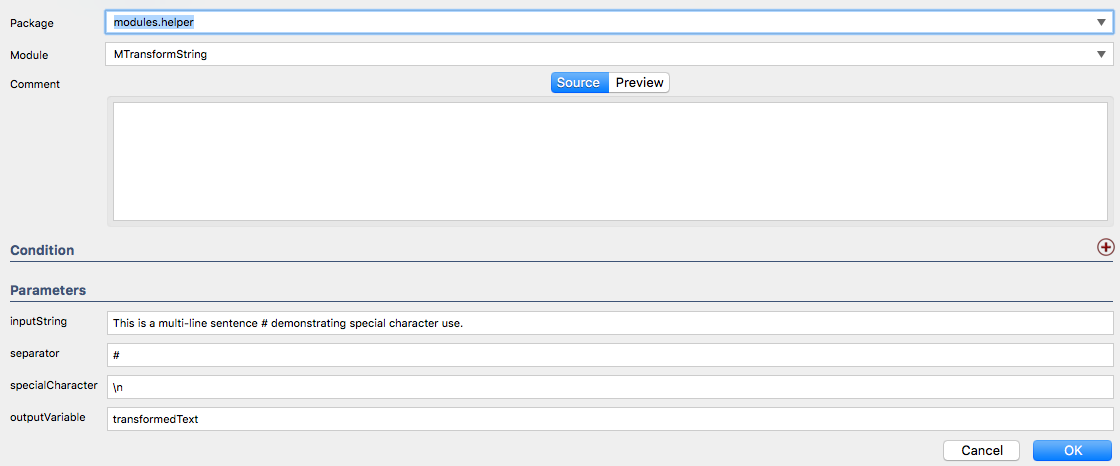
The underlying JavaScript expression splits your string at the given separator and then joins the resulting sub-strings by using the special character you passed as parameter (\n, \t or similar). The special character you denoted will be transformed into the actual white-space character at runtime and the result is stored in the given variable.

Just invoke the module right before your type* command and provide the necessary parameters. Granted, it is a workaround for now. But it should fit most situations and we are already working on a proper and more elegant solution of this issue. Promised!