Category Archives: Misc

Test Automation – Reports and Results

TL;DR: Test automation reporting is important for communication and decision-making. Best practices include consistent naming, using display names and tags, linking related data, providing clear error messages, adding environment information, categorizing reports with features and stories, visualizing data with screenshots and recordings, and including the test data used. These things improve traceability, debugging, and report readability for all report consumers.

Motivation

Comprehensive reporting is essential for effective test automation, facilitating clear communication among stakeholders. Managers need high-level summaries to make informed decisions, testers require detailed reports to pinpoint issues, and developers need technical reports for debugging. Good reporting also enables continuous improvement by identifying trends and measuring effectiveness.

With this guide, we want to share best practices when it comes to test automation reporting based on what we’ve learned over the years. As an example, we are going to use Neodymium, but keep in mind that all the following suggestions can be applied to other tools and approaches too.

The Basic Numbers

When viewing a report, an immediate overview should provide the total number of executed test cases, along with the counts for passed, failed, and skipped tests. This quickly confirms that all tests ran and offers an instant gauge of the test run’s success. A pie chart can be a useful way to visualize this data.

A dashboard-style image from a test automation report. It shows a pie chart with sections for 'Passed' (75%), 'Failed' (15%), and 'Skipped' (10%), indicating the test case counts and their success rate. Below the pie chart, there is a table showing the status of different test suites.
The total test case and failure count.

Good Naming

Repository

Good naming doesn’t start with test cases or methods; it starts when setting up the test automation project. Packages and classes should benefit from good naming before test cases even exist. The following package structure is just our way of handling naming. So keep in mind that there are other options; it’s just important to be consistent.

This is an example of a typical project filesystem structure with Neodymium.

Test Flow

An automatically generated test flow lacks logical steps and is often just a list of validations and interactions without any structure. That’s still better than no test flow at all, but if you want to properly organize it, you can use the @Step annotation provided by Allure or an equivalent. It is used to annotate methods to group their content and to give a fitting headline.


A snippet from a test automation report showing the "Test body" of a successful test. Each line represents a test step, with a green checkmark icon. The steps are: $("#search-field") val(jeans), $("#search-field") press enter(), $("#search-field-text-value") should be(visible), and $("#search-field-text-value") should have(exact text "jeans").
The test flow without steps.

A snippet from a test automation report showing the "Test body" of a test case organized with steps. The first step, "search for 'jeans'," is expanded to show its parameter, searchTerm, with the value jeans, and two sub-steps: $("#search-field") val(jeans) and $("#search-field") press enter(). The second step, "check the search results for 'jeans'," is also expanded, showing its parameter and two sub-steps that validate the search results. All steps and sub-steps have a green checkmark indicating they passed.
The test flow organized in steps.

To achieve this, you just have to add the @Step annotation with a proper description to every public method implemented in your test suite. If some methods have parameters, you can also add them.

Severities

When a test fails, the first thing you want to know is the severity of the error. But how do you achieve that? Keywords can be used to add a severity like “low”, “medium”, “high” and “blocker” to your test cases to define their importance and to help the reviewer prioritize accordingly.

See immediately that the issue is critical

Blocker test cases are the most important ones. If they fail, a business relevant functionality doesn’t work. For websites, for example, that would be the checkout process. If during checkout something goes wrong the issue should be reported and fixed with the highest priority to not miss out on any orders. Test cases annotated with the keyword low are least important. If they fail, a minor issue has occurred that is not limiting any functionality, like a typo on a documentation page, for example.

Another keyword, KnownIssue, lets the reviewer know that the test failed due to an error that is already known and currently being worked on but not fixed yet. That saves the reviewer the time to go through the test results to check what exactly went wrong.

See that this issue is known.

To add keywords to your test cases, you can use the @Tag annotation provided by JUnit. You can also use tags to simply add a list of the features tested, for example. Add as many tags as you want.

Data

Environment

Having all the environment information for a test run helps the reviewer understand the circumstances under which an error occurred. This includes, for example, the browser version, the environment under test, and perhaps even the version of the operating system used.

In Neodymium, we enabled the user to add as much environment information as needed to the report. Some information, such as the browser used, is added automatically.

Test Data

To properly reproduce an occurring error, the reviewer has to immediately find the used test data. So, we implemented a feature in Neodymium that adds a JSON view of the test data as an attachment to the corresponding test case in the report. Especially for non-technical users, that’s a huge time saver because there’s no need to find the used test data in the code itself.


A section of a test automation report showing a test step labeled "open home page flow" with 4 sub-steps, which took 4.309 seconds to execute. Below that, an expandable "Testdata" section reveals a JSON object named "root" containing three items: "testString", "testInteger", and a nested object "testProduct" with three items: "name", "size", and "style".
The JSON view of a test data example.

Other Data

In addition to tags, test cases benefit from linking wiki pages of the tested story or the corresponding bug. A common use case is to link an issue in the product’s issue tracker combined with the tag “KnownIssue”. It not only lets the reviewer know that the test case failed due to a known issue but also adds the link to the exact defect.


A portion of a test automation report. At the top, a test result is marked as "Broken." Below that, details of the failure are provided, including the error message "Container startup failed for image selenium/standalo." The report also shows a blue tag labeled "KnownIssue" and a section for "Links" which contains a link to "CCHT-317."
The reviewer can immediately find a link to the related bug.

In our reports, we use the @Link annotation provided by the Allure. You can add three different types of links to the report: a standard web link, a link to an issue in the product’s issue tracker, and a link to the test description in the test management system (TMS).

In addition to being able to add a standard web link to your test cases with the @Link annotation, we implemented a feature in Neodymium that automatically adds the corresponding link of the website to the respective step. In long test flows, this makes it possible for manual testers to rapidly navigate to the correct page and avoid manually reproducing the problem. Some limits might apply for web applications that don’t support direct links or when a state is required, such as a login, to get there.

Assertions

When using assertions, it’s essential to provide easily understandable error messages. If that’s not the case, the reviewer is going to have a hard time finding the right reason or context.

To improve our assertions, we utilize the because-clause provided by Selenide. It not only improves the readability of the error message but also the readability of the assertion itself for non-technical users because of its sentence-like structure.

If an assertion containing the because-clause fails, the specified error message will be displayed in the report with an explanation of what was expected to fulfill the condition. You can combine that with giving aliases to specific selectors to achieve high-quality assertions.

When comparing JSON data with assertions, we also encountered confusing automatically generated error messages. That’s why we implemented a feature in Neodymium that highlights the exact differences in the compared JSON data and adds them as an attachment to the report. This prevents the reviewer from digging through the JSON files to find the issue that caused the assertion to fail.

A JSON difference display with red color for removed and green for added text.
See the differences in the compared JSON data.

Categories and Groups

When test suites grow, categorization ensures report readability by structuring it into manageable segments. The following features are designed to help with that.

Test Case Grouping

Grouping related test cases makes it easier to navigate the results and identify patterns or trends. If you use Neodymium or just Allure, you can use the @Feature and @Story annotations.


A screenshot of an Allure test report dashboard, specifically the "Behaviors" section. The main panel displays a list of test suites, including "Account Tests," "Browse," "Cart," "Guest Checkout," and "Registered Checkout." Next to each test suite name are columns showing the number of tests with different statuses, color-coded for failed (red), broken (orange), passed (green), and skipped (grey).
An Allure report with tree grouping using @Feature and @Story.

Error Categories

For comprehensive defect management, it’s crucial to have an overview of all issues from the most recent run. This allows reviewers to quickly identify if multiple failed test cases stem from a single underlying defect in the tested system. Additionally, it helps pinpoint the primary error responsible for the majority of test failures.

If you use Neodymium or Allure, you can use the categories file categories.json, which can be found in the test results directory. It is used to define custom defect categories in the form of a JSON array of objects. Each object defines one custom category, and the order of objects in the array is the order in which Allure will try to match the test result against the categories. To define a category, the following properties are used:

  • String name: name of the category
  • String messageRegex: regular expression, the test result’s message should match
  • String traceRegex: regular expression, the test result’s trace should match
  • Array matchedStatuses: array of statuses, the test result should be one of these values: “failed”, “broken”, “passed”, “skipped”, “unknown”
  • boolean flaky: whether the test result should be marked as flaky or not

Allure can also categorize the categories.json automatically based on the exception message, but problems can occur when Selenide and Allure work together. If Selenide takes screenshots on failure, they come with a unique ID which is added to the error messages, leading to unique error messages and errors not being categorized at all. We fixed that in Neodymium by removing the screenshot path from the error messages.

Visuals

It is important to transform the vast test suite data into easily digestible insights. Visual tools like screenshots or recordings can help with that, making reports more accessible.

Screenshots

To continue making recurring errors reproducible as fast as possible, it makes sense to add a screenshot of the tested website during the error state to the report. With that, the reviewer not only has the stack trace to work with but can also see what exactly went wrong.

Most tools provide screenshots on failure, which is essential for debugging. To see even more details, we improved the already existing Selenide feature by providing the ability to make full-page screenshots in Neodymium. We also added the functionality to highlight the last element and the viewport in the full-page screenshot.

Screenshot of the Posters demo store homepage with a red area highlighted as the portion that was visible.
Fullpage Screenshot (Neodymium)

Video

As an extension to screenshots, it also makes sense to add a video recording of the whole test flow to the report. That enables the reviewer to see how the system reacted and what caused the unexpected behavior, especially when the highlighting of used elements is part of the video. The reviewer can simply follow the steps in the recording, just like a tutorial, to reproduce the error.

In Neodymium, this is part of our standard reporting. If you are interested in this feature, see our documentation on how to set it up in your project.

Summary

Clear and concise test automation reports are essential for efficient results analysis. They are especially valuable when sharing results with non-technical stakeholders. If you have chosen or perhaps will choose Neodymium as your preferred test automation tool, we remain committed to continuously improving its reporting feature to optimize the presentation and understanding of test outcomes, saving you time and effort.

Because Neodymium is open-source under a the MIT license, we invite you to support its development by providing feedback, pull requests, or just writing about it.

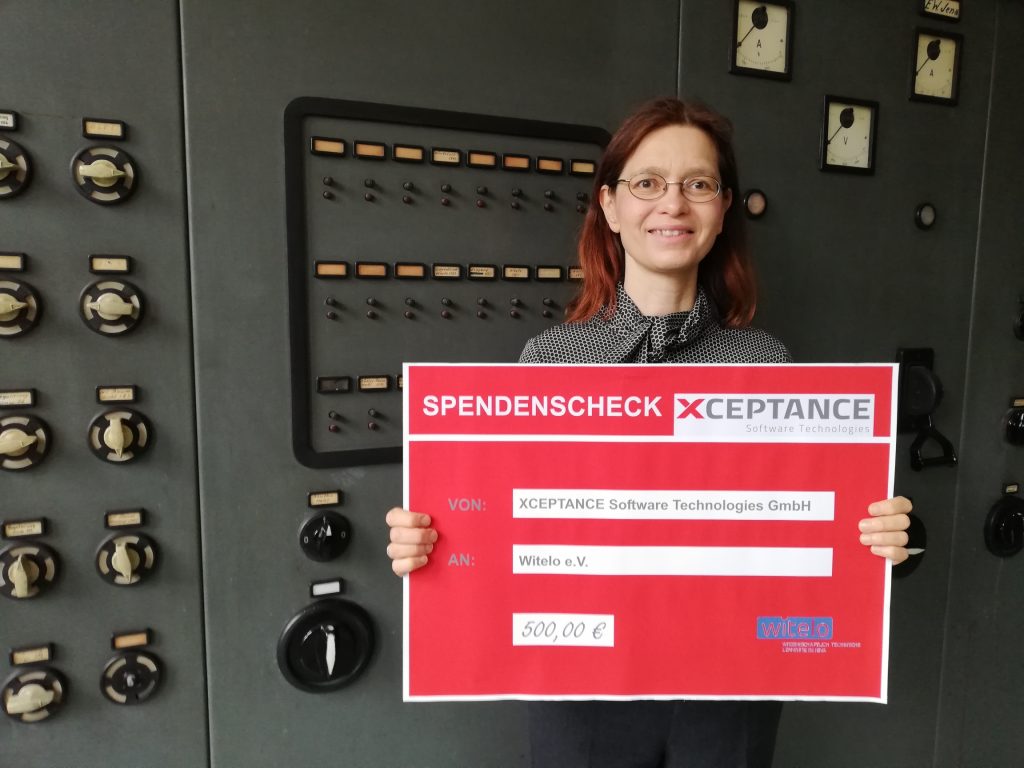
Xceptance Supports Young Explorers with Donation to Witelo e.V.

The little Ozobot speeds around the corner, flashing colorfully, winds its way along a spiral, collides briefly with one of its colleagues and finally finds its way through the maze. It is navigated to its destination by color sensors on its underside, which allow it to follow a defined route. The miniature robot was not programmed by a high-tech engineer, but by Magnus, 10 years old, and the son of our co-founder Simone Drill.

During a programming workshop, he learned to give commands to the Ozobot and to control it with the help of color codes.  This was made possible by witelo e.V. from Jena, who offer working groups and experimentation courses at schools, as well as extracurricular learning formats. These scientific and technical learning venues were founded to promote so-called STEM education, with computer science as one of its components. Students learn the basics about coding, robotics and algorithms in research clubs, on hands-on days and during a wide range of vacation activities. In this context, Magnus also had the opportunity to playfully gain his first programming experience and took his enthusiasm from the workshop home with him.

Source: Ozobot
Continue reading Xceptance Supports Young Explorers with Donation to Witelo e.V.

2020 – One Year, One Picture

One Picture Says It All

If we can only use one picture to symbolize 2020, this might just be it. Working from home and video conferences are now the new normal.

Happy Holidays, Merry Christmas, and a Happy and Healthy 2021, because we all need that.

XLT 4.12.1 Release

Xceptance has released version 4.12.1 of its load testing and test automation product Xceptance LoadTest.

Test Framework

  • Fix: Our timer recorder extensions for Chrome and Firefox did sometimes report invalid request entries that could not be processed by the report generator. This could happen for requests that did not complete.
  • Fix: If a test case deliberately caught an exception / assertion error and afterwards ran to completion successfully, it might nevertheless be marked as failed in the load test report.
  • Improvement: Selenium has been updated to the latest version 3.141.59 and HtmlUnitDriver to version 2.33.3.

Load Testing

  • Improvement: The new AWS data center in Stockholm, Sweden (eu-north-1) is fully supported by ec2_admin now.

Make sure to read the full online release notes.

As always, this upgrade is free and don’t forget, XLT itself is free as well. You don’t have an excuse to skip performance testing or rely on lame simple test cases anymore.

Our New Website is Live!

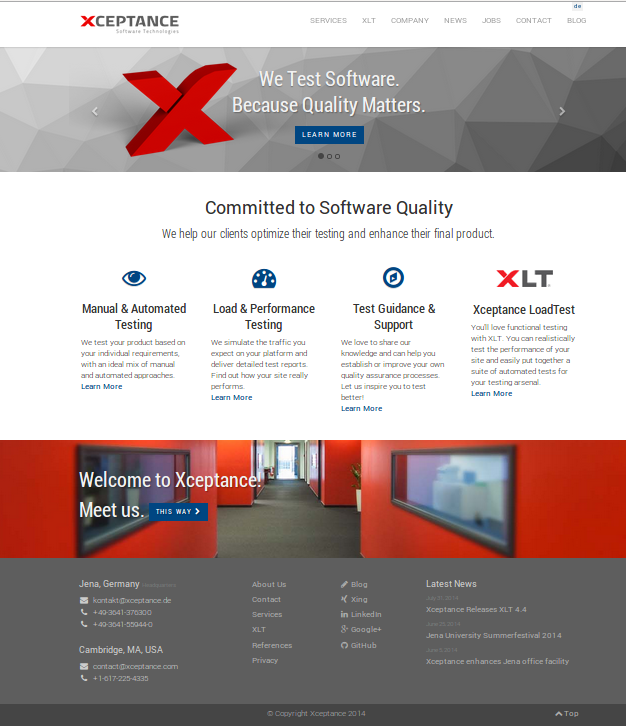
New Xceptance WebsiteWe proudly announce that Xceptance has a new website. Our 10th anniversary made us look back on where we are coming from, what we have been doing and what experiences we gained throughout the past ten years. It was time to have a new web presence reflect all that!

We took advantage of Bootstrap, Less, Jekyll, Git, Font Awesome, and Jenkins to create a website that primarily wants to help our visitors quickly learn about Xceptance, our services and our product. We wanted it to be modern but plain so that we can communicate what we do in the most comprehensive and user-friendly way possible. No boasting, no bragging, and just a little bit about ourselves. To have it all look nice and work smoothly for the mobile users as well, we used Bootstrap.

Since we’re always looking for new people that want to join us, we added a comprehensive jobs page which lists current open positions in both our offices, Cambridge, MA, USA and Jena, Germany.

Go check it out for yourselves! As always, we appreciate any kind of feedback!

We’ve Adopted the Word “Testen”!

WortpatenschaftThere certainly are things out there that money can’t buy, just like the Beatles once sang. However, you might agree with us that money can do good (things), if managed appropriately.

With the company anniversary in mind we at Xceptance sought to combine both the good deeds and a great company gift. That’s how we found out about the idea of a ‘Wortpatenschaft‘ (engl.: “word sponsorship”), a campaign dedicated to the preservation and promotion of the German language (in cooperation with the German nonprofit association Deutsche Sprache e.V., Dortmund).

Continue reading We’ve Adopted the Word “Testen”!

10 Years of Xceptance – The Story

Ten years and 230 projects later it’s time to look back at the beginnings of Xceptance. Let us take you on a quick trip down memory lane!

The Story

In the beginning there was a small group of four colleagues who decided to take a chance and try something new. They pooled their resources, knowledge and QA experience and struck out on their own. The beginnings of Xceptance are thus all about passion and commitment and the belief in making software better.
Continue reading 10 Years of Xceptance – The Story

Xceptance it is!

Acceptance, huh? Be honest, you almost thought we were being serious about this whole name change! But, as convincing as it might have sounded, we’re not going to abandon our fancy company name, ever!

Despite the uncommon spelling we like our quirky label and the way it usually triggers follow-up questions. It is recognizable and fun and, once you got the hang of it, it sticks. We also trust in SEO and the sanity of our customers so that we don’t feel like there’s a reason to worry much about it. Of course there’ll always be the issue with auto-correction, but we think we can handle that. Having said this: Xceptance it is!

Xceptance becomes Acceptance

New Logo AcceptanceJust in time for our 10th anniversary, we are pleased to announce that the company is going to change its name from Xceptance to something more tangible and easier to pronounce: Acceptance.

With that, we are reacting to the release of a search engine list containing the different versions of the search term users entered to find Xceptance online. Terms reached from “Xcaptence” to “Ecceptance” and even “Axceptacne”. To us, this list was some kind of a wake-up call because we no longer want to take the risk of losing clients just because of a fancy company name. That’s why we decided to settle for this easier to google, user-friendly name because, after all, a company name should represent the company it stands for. An additional benefit of the new name: the auto-correction of mail and office software will never put a red mark on the company’s name again.

Within the coming week we’ll update the website and all other company-related content with the new name and logo. For our current clients and affiliates there won’t be any changes.

Applications Open for E-Commerce Professorship

The Department of Industrial Engineering of the Ernst Abbe University of Applied Sciences Jena, Germany, invites applications for an endowed full professorship in E-Commerce / E-Business commencing March 1st 2014.

Xceptance supports the university’s bachelor’s degree program that is to comprise classes such as shop management, social media, or online marketing. We believe that education and innovation are major essentials for both personal and national development and therefore want to contribute to this program by providing both financial resources and professional knowledge.

Detailed information can be obtained from the website of the Ernst Abbe University, Jena in English and German.